
Receive your new salary statement in the Swiss Post-App.


Improved user experience
Secure document storage
Everything in one place
Why am I getting the salary statement again in the Swiss Post-App?
To offer customers an easy-to-use and modern user experience, IncaMail is being comprehensively modernized.
Payroll and HR documents will be delivered in the Swiss Post-App, the digital mailbox of Switzerland.
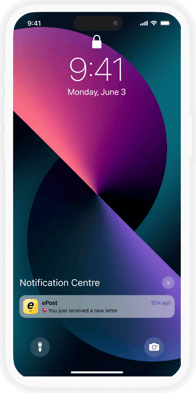
notification
receive salary statement via push
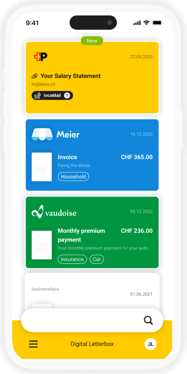
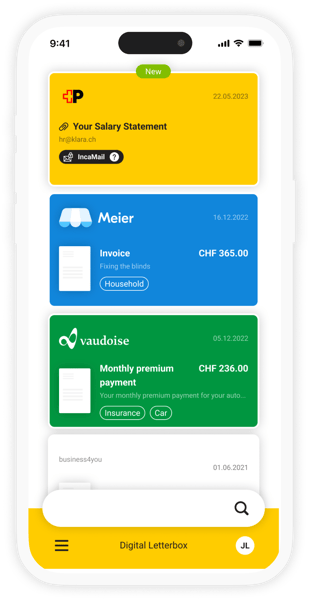
Swiss Post-App
open the digital mailbox
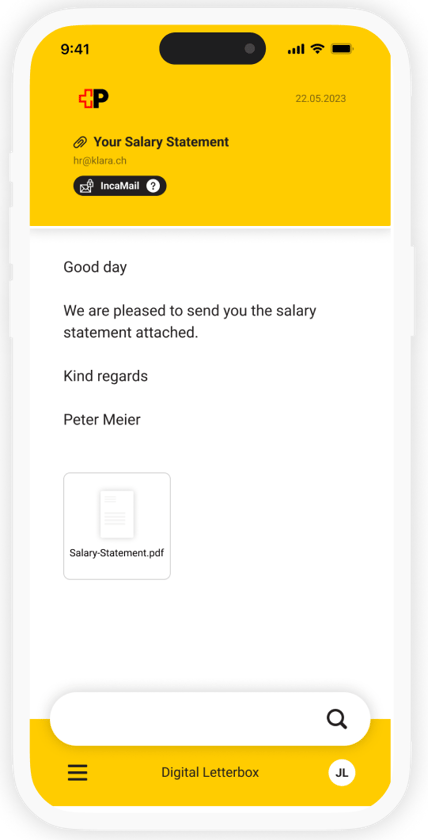
Digital letter
read and save without additional password entry
How do I receive my pay slip in the future?
The payslip is now delivered as a digital letter in the Swiss Post-App, along with other digital mail.
The security remains unchanged.
Opening digital letters in the Post-App is now easier, as there is no need to enter an additional password to decrypt them.
What are the benefits of the Swiss Post-App?
As a smart, digital mailbox, the Swiss Post-App offers many advantages over an email inbox: receiving your mail and IncaMail messages on your smartphone, smart storage, and a direct connection to your bank for even more convenient bill payments.


Swiss Post-App free to install on your smartphone
Register
or log in with SwissID
Enable digital mail receipt for IncaMail
How do I set up the Swiss Post-App on my smartphone?
Setting up the Swiss Post-App is very simple. In just a few steps, your salary statement will be delivered to your digital mailbox in the future.
Important note:
The e-mail address used for registration must match the one in your IncaMail account.
You can also enter the e-mail address from your IncaMail account as an additional e-mail address.
The salary statement will only be delivered if the e-mail addresses match.
Does the delivery change
in the Swiss Post-App affect my security?
ePost is committed to the high security standards of the Post Office. Communication is encrypted multiple times and complies with the applicable data protection regulations in Switzerland and the EU. Data exchange that complies with data protection regulations is therefore still guaranteed.
FAQ
- What devices are supported (Devices, versions, operating system versions, etc. – is there already something there?)
- Inputs from PN emails in Zendesk:
https://axonactivegroup.zendesk.com/agent/filters/1900003195774
(ePost Enterprise folder)
In your ePost profile, the same email address must be entered as you use in your IncaMail account. In ePost, this can be set as the primary email address or as an additional, optional email address. After confirming the email verification, you can receive IncaMail messages in ePost.
No. Registered IncaMail messages are sent exclusively to your IncaMail account.
You can deactivate IncaMail messages as ePost sender in the app itself. To do this, go to the “Manage senders” section in your profile and deactivate the “IncaMail” sender of the Swiss Post.
Who should I contact if I have more questions?
Your employer or the sender of the IncaMail message will provide support for all questions regarding the receipt of your salary statement in the Swiss Post-App.
For questions about the Swiss Post-App or technical support for registration, the Post support is available directly within the app or via the Support form.