
Sending business mail online

New features of ePost SmartSend: what to expect

As of January 27, 2025: The upcoming new features in ePost SmartSend will make sending your business post even easier and more efficient. Thanks to an improved user interface and enhanced performance you will save time and effort. Here is a step-by-step walk-through of the new features.

To the video tutorial
Sending business mail online

New features of ePost SmartSend: what to expect

As of January 27, 2025: The upcoming new features in ePost SmartSend will make sending your business post even easier and more efficient. Thanks to an improved user interface and enhanced performance you will save time and effort. Here is a step-by-step walk-through of the new features.

To the video tutorial
1

Getting started

Open SmartSend via the ePost web client or directly at smartsend.epost.ch, then log in.

2

Upload documents – flexibly and efficiently

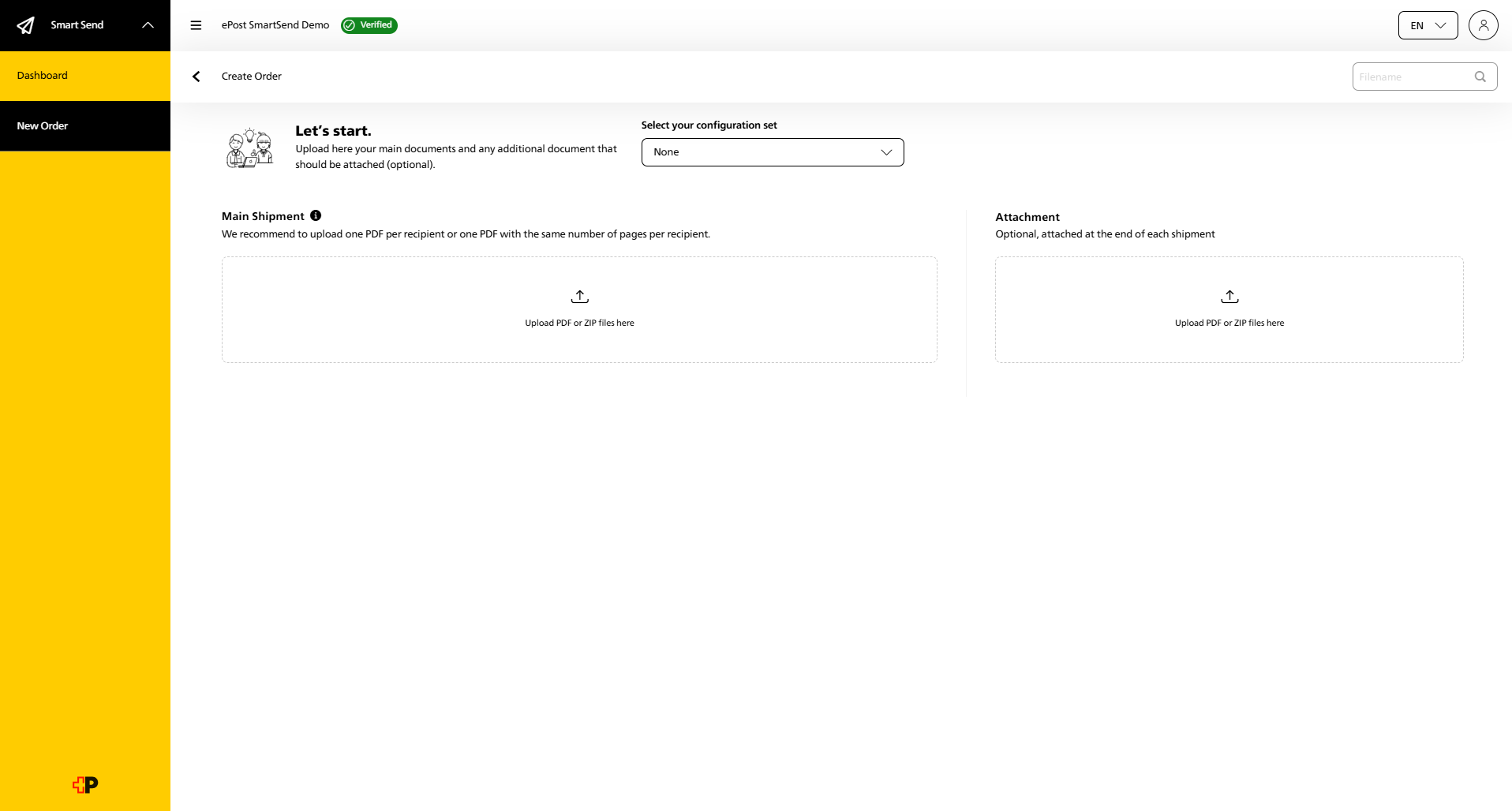
Upload your main documents and attachments as PDFs in A4 format. The complete recipient addresses must be integrated in the PDF. The improved user interface makes the whole process quicker and more intuitive.

New: You can now upload ZIP files too, to process several documents at once. Plus, you can see the page count of your documents. 

ePost-SmartSend-Dokumente-hochladen_EN
3

Quick upload

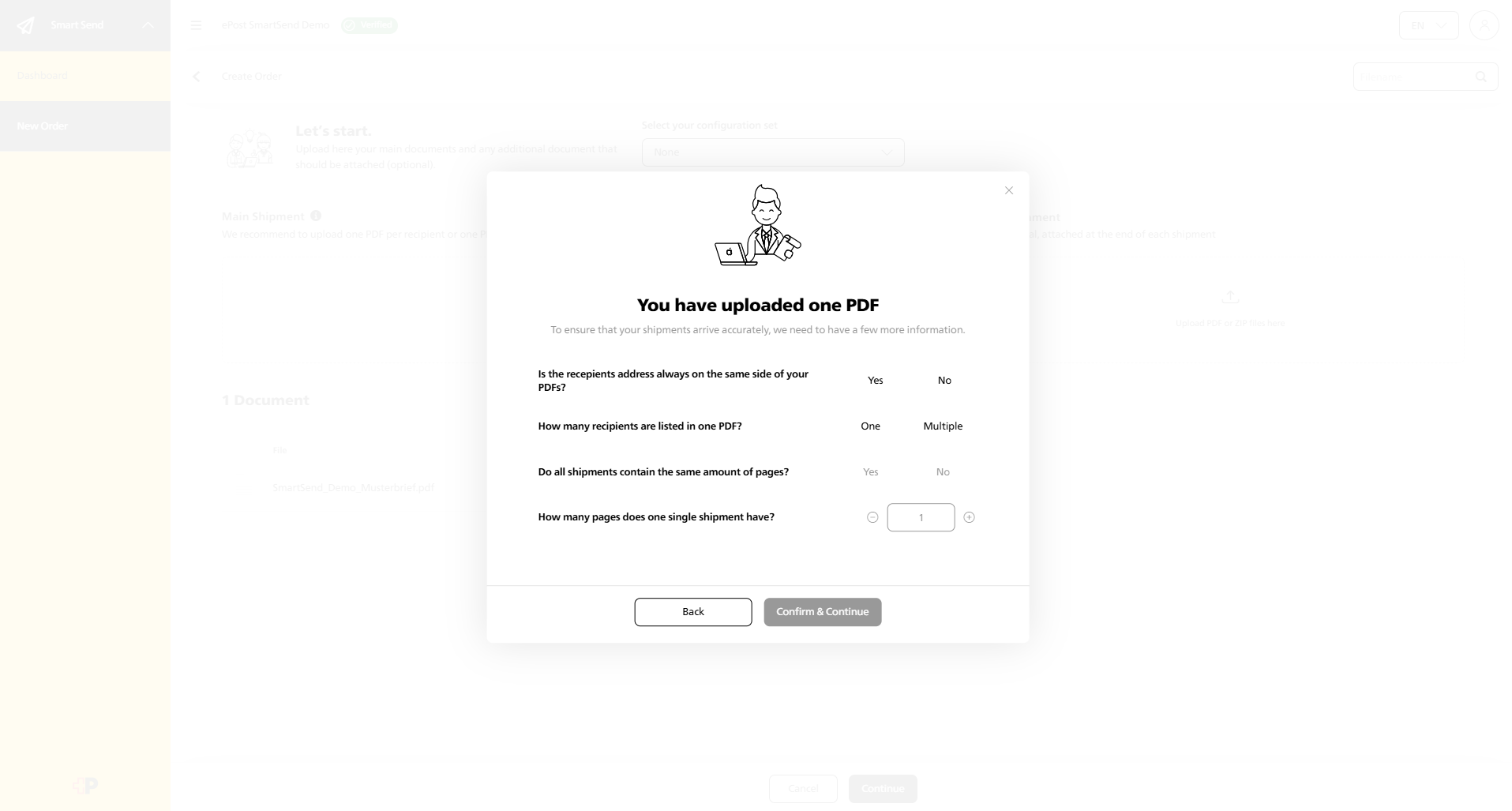
Thanks to enhanced performance, your files will be uploaded in just a few seconds. Next, give us additional information about your shipment. 

ePost-SmartSend-Schneller-upload_EN
4

Configure mailing – all in one place

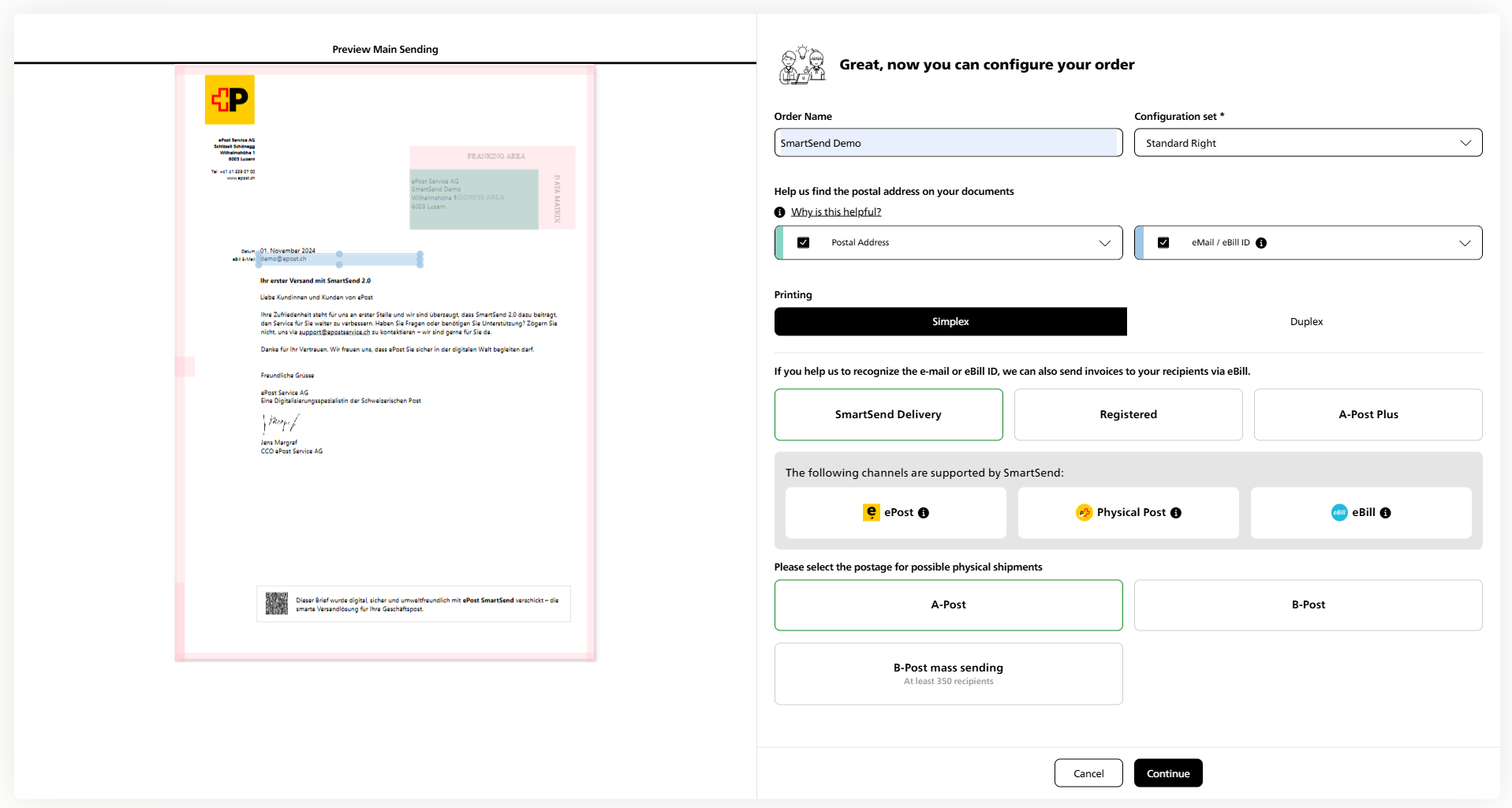
Configure your mailing as normal, only now it’s even simpler:

  • One subject field: Instead of several fields, there is now just one field for the subject.

  • Adjust address window: You can still move and adjust the address window so that the postal address is perfectly positioned. If the address position differs from the default, an address cover sheet is automatically added for physical mail.

  • eBill option: As well as the postal address, you can now insert the e-mail address for eBills – perfect for sending invoices direct to your customers’ banking portal.
Note: If you would like to send via eBill, you need a one-time onboarding. In this case, please contact us via  support.enterprise@epostservice.ch
ePost-SmartSend-versand-konfigurieren_EN

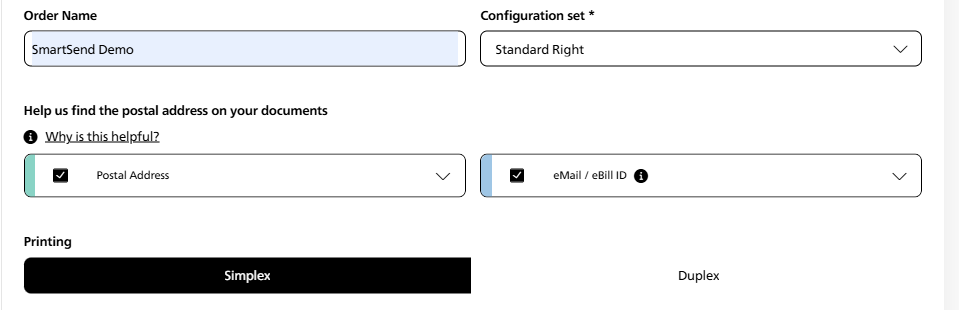
Printing parameters

When sending physical mail, choose as usual between simplex (one-sided) and duplex (double-sided). The document and ordering parameters will be automatically recognised, removing the need for further inputs.
ePost-SmartSend-versand-konfigurieren-1_EN
5

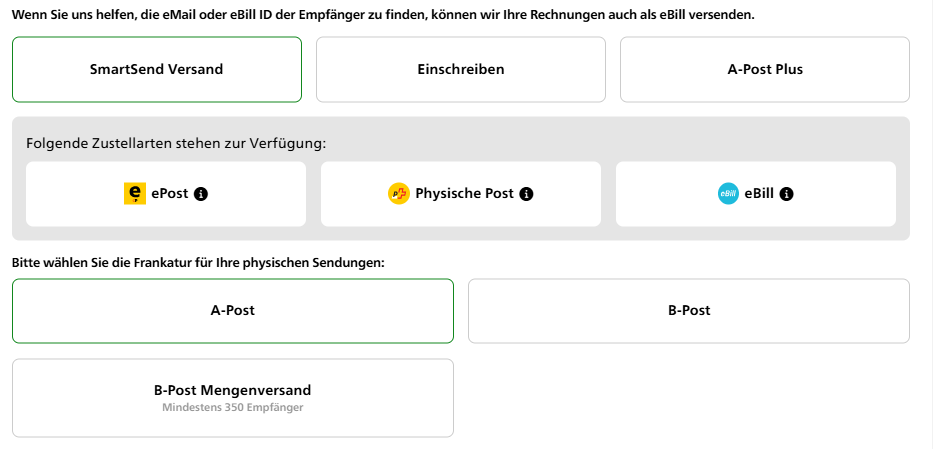
Neue Versandoptionen – perfekt für Ihre Bedürfnisse

SmartSend bietet Ihnen jetzt mehr Auswahlmöglichkeiten:
 
  • Intelligenter SmartSend Versand: Die beste Zustellungsart wird automatisch ausgewählt (ePost, physische Post oder eBill).

  • Einschreiben: Neu können Einschreiben auch ins Ausland versendet werden.

  • A-Post Plus: Für wichtige und termingebundene Sendungen inklusive Sendungsverfolgung.
Legen Sie im nächsten Schritt die gewünschte Frankatur fest. Diese wird verwendet, falls der digitale Versand nicht möglich ist. Zur Auswahl stehen A-Post, B-Post und B-Post Mengenversand (ab 350 Empfänger).
ePost-SmartSend-neue-versandoptionen

Neu

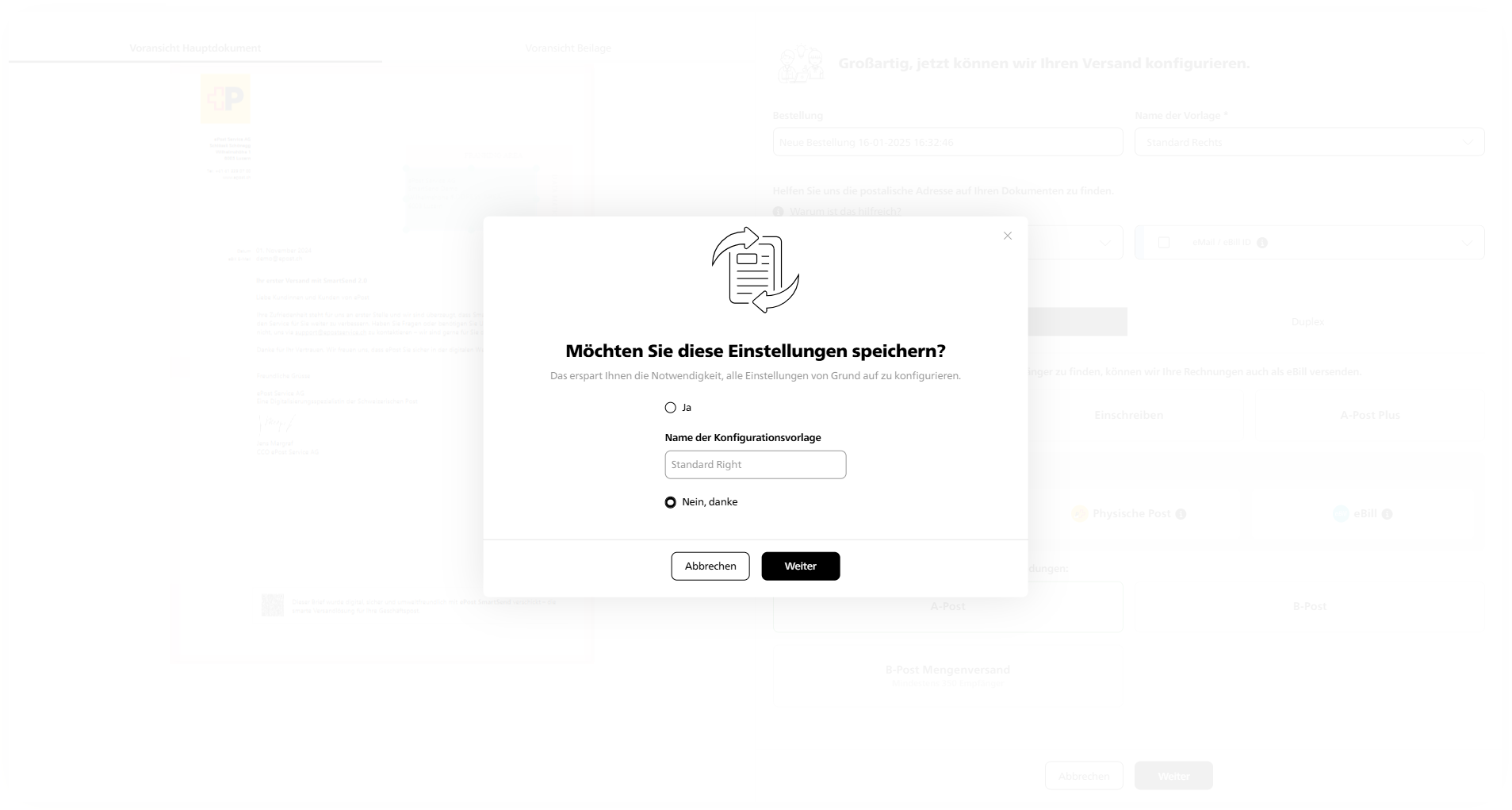
Für wiederkehrende Sendungen Sie können Ihre Einstellungen  jetzt optional als Vorlage speichern, um den Prozess künftig noch schneller abzuwickeln.
ePost-SmartSend-einstellungen-speichern
5

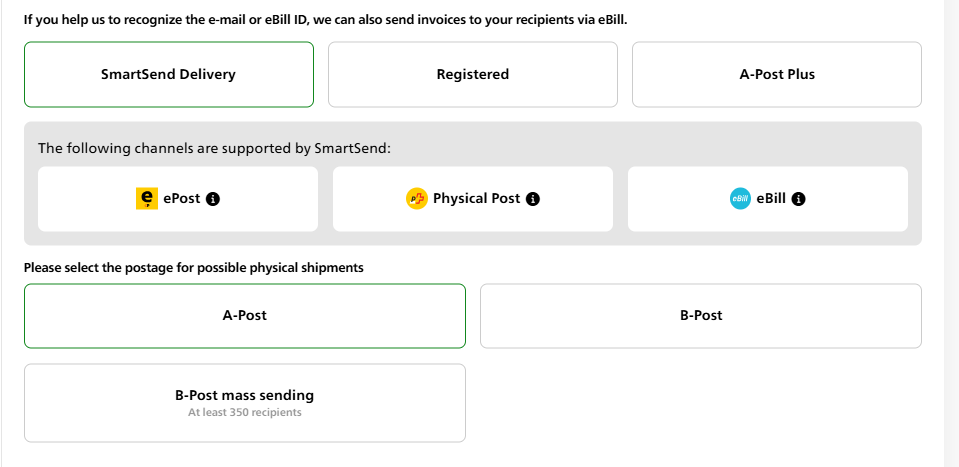
New mailing options – perfect for your needs

SmartSend now offers you even more choice:

  • Intelligent SmartSend mail: SmartSend ensures that the consignment is automatically delivered via the recipient's preferred channels - either digitally directly in the ePost app, via eBill or as physical letter mail.

  • Registered mail: Registered mail can now be sent abroad too.

  • A-Post Plus: For important, time-critical mail including tracking.
Next, select the franking. This will be used if digital mailing is not possible and the consignment is physically delivered instead. Choose between A-Post, B-Post and B-Post Bulk Mail (New: up to 1'000 recipients).
ePost-SmartSend-neue-versandoptionen_EN

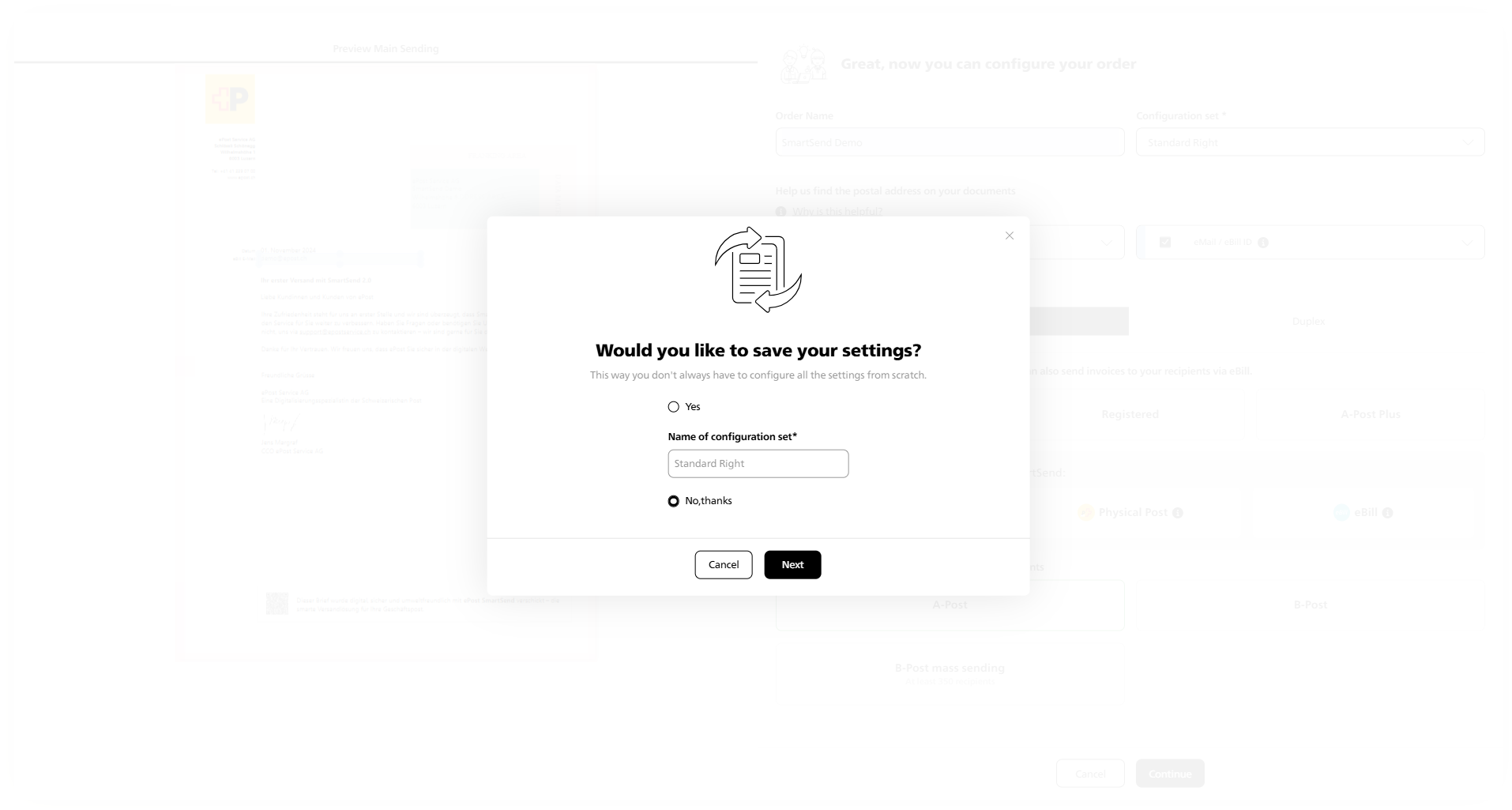
New: For recurring mailings, with the same address position and franking, you now have the option of saving your settings as a template to make the process even quicker in future.

ePost-SmartSend-einstellungen-speichern_EN
6

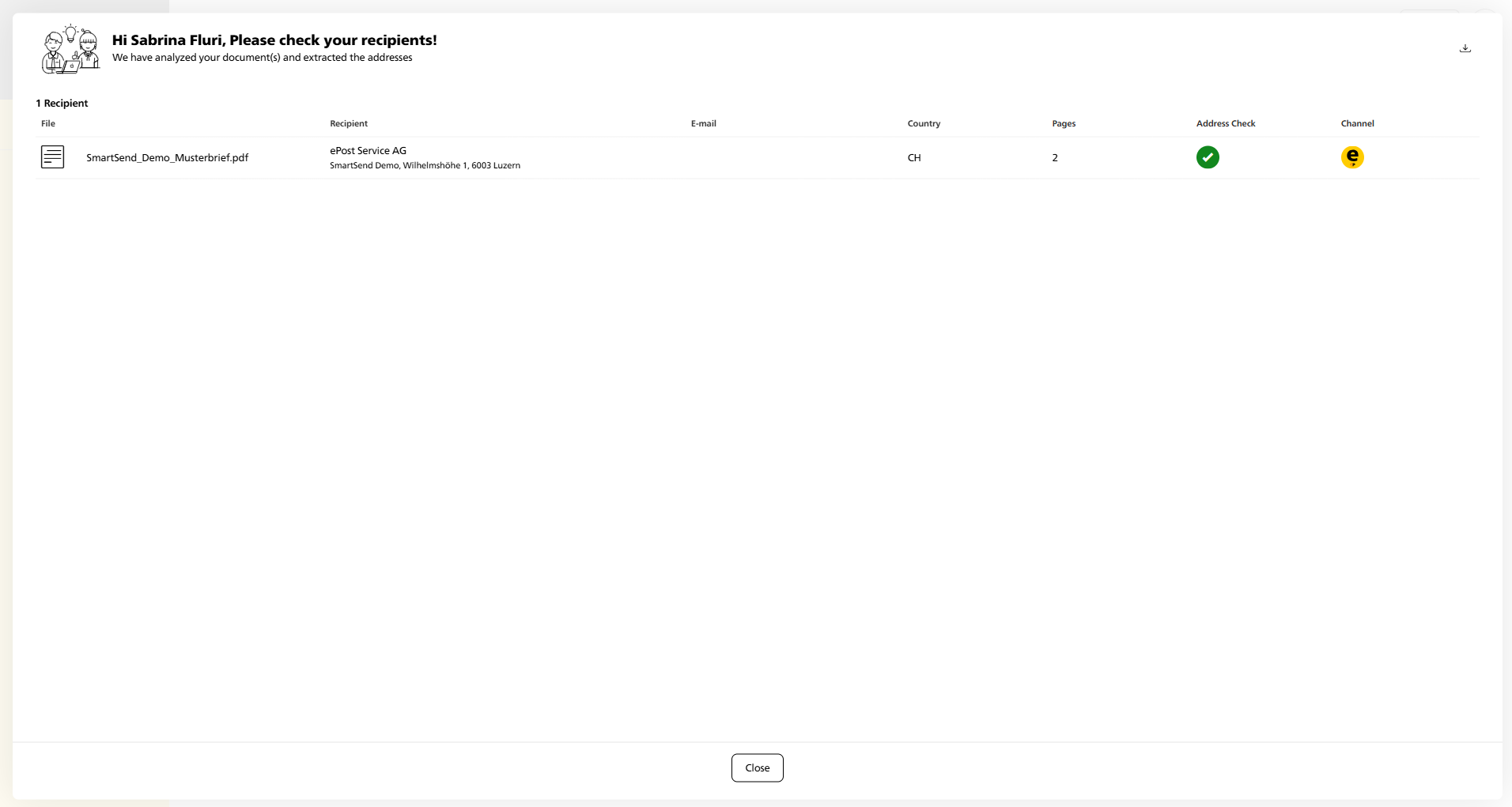
Automatic address check and simple completion

SmartSend next automatically checks your recipient addresses and selects the best delivery option.

New: When processing has been completed, including the address check, your order will appear in the mailing overview. Check that the details are correct and complete sending by clicking on “Confirm and send”. Instead of carrying out several steps, the optimised processes mean you can do them all in a single step, saving time and minimising input errors.

ePost-SmartSend-Adresspruefung_EN
7

Monitoring and overview

Once you have confirmed the dispatch, it will appear in your order overview. Switch to the ePost web client for detailed monitoring: epost.ch

Top tip: Mail you dealt with using the old version of SmartSend will not be shown in the new display. However, you can still view it in ePost Monitoring.

Modern mailing is that easy! 
The new functions will be available to you automatically from January 27, 2025. 

Video tutorial

Our video will show you how we’ve optimised the mailing process and will introduce you to the new design and intuitive user guidance.

The benefits at a glance

Explore the new ePost SmartSend features now and be amazed at just how easy modern mailing is.

Make contact

Do you have any questions?

We will be happy to show you personally how you can communicate simply, securely and digitally with ePost.

Request a consultation